Nano Banana Pro
(The Created Image results will appear here)
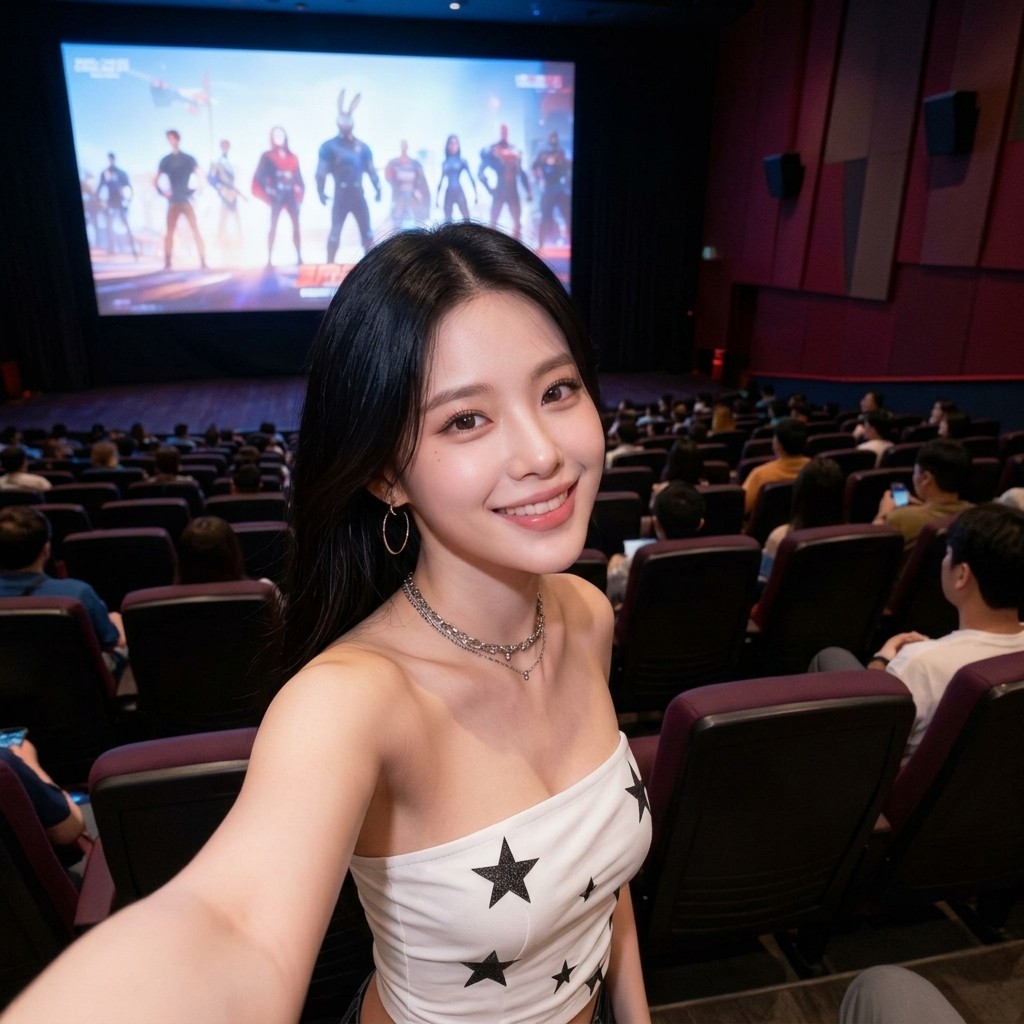 After
After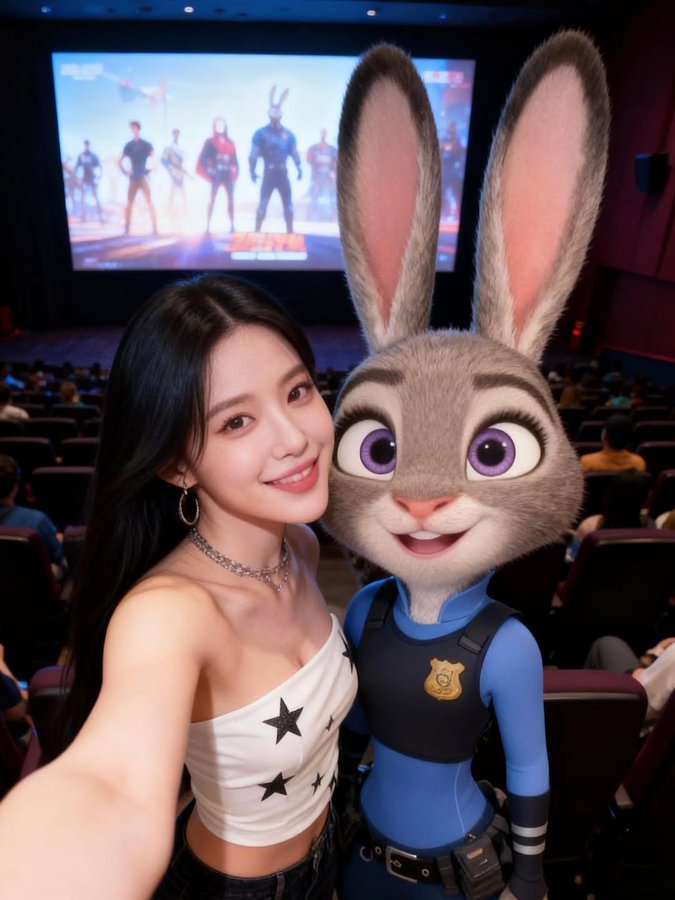 Before
What is Nano Banana Pro?
Nano Banana Pro is Google’s advanced AI-powered image editing and generation model designed to make visual transformation as simple as describing it in words. Built on cutting-edge computer vision and generative AI, it delivers hyper-realistic scenes, accurate text rendering, and deep semantic understanding—fully surpassing previous Nano Banana versions with unmatched precision and creative flexibility.
Key Features of Nano Banana Pro
Nano Banana Pro brings Google’s next-generation AI capabilities into image editing, merging advanced reasoning, semantic awareness, and high-fidelity rendering to deliver unmatched visual accuracy and creative control.
Context-Aware Prompt Intelligence
Powered by deep semantic reasoning, Nano Banana Pro understands the intent behind your prompts—not just the words. It interprets context, world knowledge, and visual structure to generate precise, meaningful edits, making it ideal for educational visuals, infographics, conceptual art, and real-world scenes.

Advanced Character Consistency
Nano Banana Pro maintains identity, proportions, and expressions across multiple edits and scenes. With enhanced multi-face reasoning, it can consistently reproduce characters or real people—perfect for storytelling, branding, cinematic sequences, and long-form creative projects.

Accurate Scene & Layout Preservation
Thanks to improved spatial and geometric understanding, Nano Banana Pro preserves the original camera angle, lighting, perspective, and composition while applying edits. This ensures natural, coherent transformations that retain the integrity of the source image.

High-Fidelity Rendering & HD Output
Nano Banana Pro produces crystal-clear images with 2K–4K-ready detail. Textures, materials, reflections, shadows, and fine features are rendered with professional accuracy—ideal for product mockups, design previews, marketing assets, and photorealistic visuals.

Superior Text Rendering & Multilingual Support
Nano Banana Pro delivers industry-leading text generation inside images. Whether it’s short taglines, long paragraphs, posters, UI mockups, or stylized typography, it renders text sharply and accurately in multiple languages. Perfect for international creators, branding, and global campaigns.

Enhanced Multi-Character & Multi-Element Editing
Built for complex scenes, Nano Banana Pro can blend multiple elements, objects, or up to several characters while retaining their relationships and realism. It supports localized editing—letting you select and refine specific areas, adjust lighting, shift focus, or modify compositions with studio-level creative control.

How Nano Banana Pro Transforms Images
Experience next-gen AI editing powered by Google’s semantic-aware image model in three seamless steps:
Upload Your Image
Drag and drop or click to upload your image (JPEG/PNG/WEBP). Nano Banana Pro intelligently analyzes scene structure, lighting, textures, and object relationships to prepare for precise and realistic edits.
AI Enhances Instantly
Powered by Google’s advanced generative and vision research, Nano Banana Pro performs natural-language editing, texture refinement, relighting, composition adjustments, and detailed text rendering—all with professional accuracy.
Download Professional Results
Download your high-resolution, AI-enhanced result within seconds. Enjoy studio-quality realism perfect for social media, concept art, photography, marketing visuals, and any project needing polished professional detail.
Nano Banana Pro Frequently Asked Questions
What is Nano Banana Pro and how does it work?
It combines Google’s most advanced generative and computer vision technologies to analyze, enhance, and edit images using natural language instructions. It understands spatial layout, textures, lighting, and semantics to produce realistic and professional-grade transformations.
What makes Nano Banana Pro different from other AI tools?
It offers natural-language editing, context-aware understanding, scene-consistent lighting, refined aesthetics, hyper-realistic output, and highly accurate text rendering. Its fine-grained controls allow precise edits like object replacement, relighting, background changes, and composition shifts that other tools struggle with.
Which types of images can Nano Banana Pro enhance?
It works with photos, graphics, product shots, logos, marketing visuals, portraits, landscapes, and high-resolution professional imagery. It enhances clarity, textures, lighting, and semantic accuracy across all formats—ideal for creative, commercial, and technical use cases.
What are the key features of Nano Banana Pro?
Key features include natural-language editing, advanced semantic analysis, accurate text rendering, hyper-realistic scene generation, fine-grained color and texture control, relighting, background replacement, object modification, and professional-quality enhancement powered by Google’s next-gen AI.
Is Nano Banana Pro free to use?
It offers both free and premium plans. Free users can explore basic transformations, while premium plans provide higher-resolution results, unlimited editing, batch processing, advanced controls, and priority AI performance.
Which image formats does Nano Banana Pro support?
It supports JPEG, PNG, and WEBP. Edited images maintain high resolution and consistent visual fidelity, suitable for print, web, social media, advertising, concept art, and professional presentations.
Ready to create stunning images?
Try Nano Banana Pro for FreeNanoBanana is an independent platform that provides access to AI models through its own interface. It is not affiliated with Google or its AI models, including Flash.